
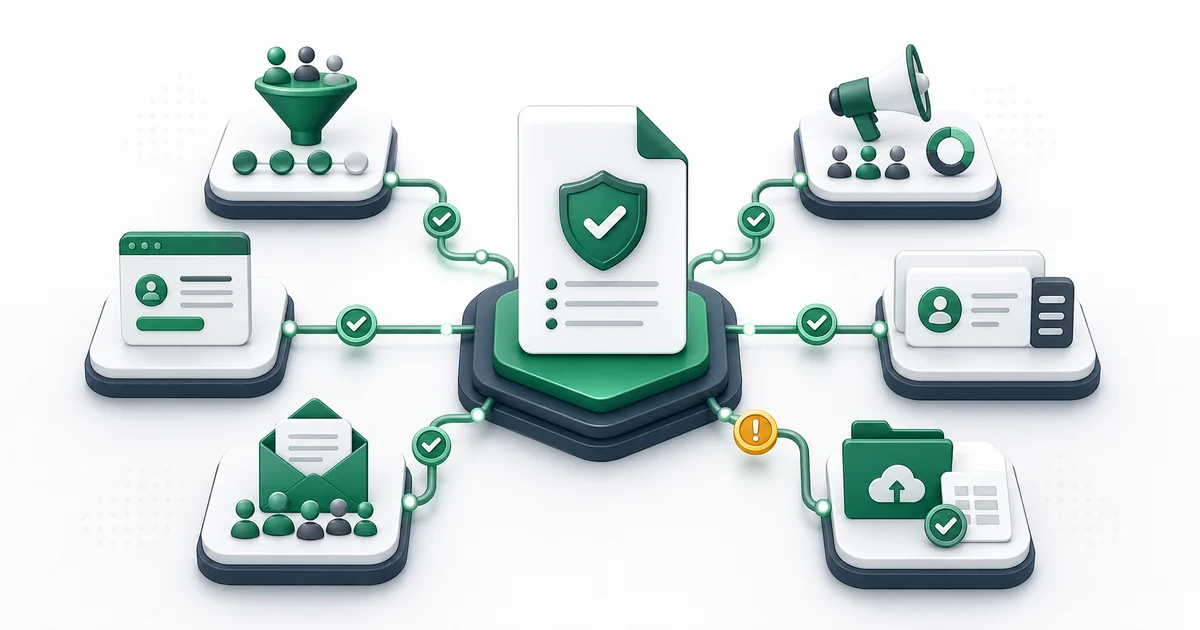
An email verification policy defines which addresses are checked, at what point, how each result affects the workflow, and who can approve an exception. It should cover technical evidence, consent, source quality, retention, and escalation without pretending that verification guarantees delivery. A short policy that teams can apply consistently is more useful than a long document nobody follows.
The policy belongs beside your consent, suppression, CRM, and account-access rules. Verification can identify address and domain signals. It cannot establish that a person consented, owns the mailbox, or will receive a future message in the inbox.
Start with four policy decisions
- Scope: name the systems, teams, and data sources covered.
- Checkpoints: decide whether verification occurs at entry, before import, before send, on change, or after inactivity.
- Outcomes: map valid, risky, invalid, and unknown evidence to allowed actions.
- Ownership: assign the people who maintain rules, review exceptions, and measure results.
Keep the commercial workflow separate from the policy itself. A single address can be inspected with a checker, a permission-based file can use the bulk verifier, and application events can use the API. The policy explains when each route is appropriate.
Choose checkpoints by data source
| Source | Recommended checkpoint | Policy question |
|---|---|---|
| Signup or account change | At entry, with a pending state if the check is incomplete | Will the product block, warn, accept, or request ownership confirmation? |
| Imported lead file | Before the destination import | Are source ID, consent, and suppression fields preserved? |
| Existing CRM record | Before a campaign, after change, or under a maintenance schedule | Which system owns the verification timestamp and decision? |
| Newsletter subscriber | At collection and before reactivation after inactivity | How do opt-in and suppression rules override send eligibility? |
| Customer account | At registration, address change, and high-impact recovery events | Which process proves ownership rather than only address plausibility? |
| Sales prospecting record | Before enrollment in an approved sequence | Is the source lawful, current, relevant, and within outreach policy? |
| Event registration | At entry or before operational notices | Can an attendee correct the address without losing registration? |
Write point-of-entry rules for real user experience
At signup, run immediate syntax checks in the interface, then choose how the application handles the asynchronous verification job. A conclusive malformed address can be returned for correction. A temporary or unknown result should not look like a user mistake. Catch-all, role, and free-provider classifications need separate product rules rather than one broad “bad email” message.
Define a timeout state. The application may accept the record as pending, limit a sensitive action, or allow the user to continue while ownership confirmation happens. The detailed block, warn, or accept framework can be incorporated into product requirements.
Protect imported lead and CRM data
Before verifying an import, preserve a stable source ID, the original email value, consent evidence, suppression status, owner, and source date. Normalize and deduplicate for processing without discarding the source rows. Mailthentic processes each unique normalized address once in a bulk job, but the importing team still needs rules for applying one result back to every relevant source record.
Invalid results should not erase the underlying person or company record automatically. Remove the address from send eligibility, record the technical reason, and return correctable records to the data owner. Risky and unknown results need review or a bounded retry. The email list cleaning guide explains the wider maintenance workflow.
Define status handling without inventing a boolean
Use the four user-facing buckets as the starting point:
- Valid: available evidence supports use, subject to permission and campaign policy.
- Risky: keep evidence visible and apply a catch-all, authentication, or other risk rule.
- Invalid: remove from sending and request correction when appropriate.
- Unknown: hold, retry if the cause is temporary, or require a separate confirmation step.
Preserve specific statuses and flags. Disposable and role are flags rather than independent stored statuses. Catch-all can be represented by risky_catch_all. A role address is not automatically invalid. Confidence is context for the evidence, not a delivery probability.
Set different rules for different communication types
A customer receipt, password recovery message, sales sequence, and newsletter do not carry the same purpose or risk. A shared role inbox might be appropriate for an invoice and inappropriate for a personal nurture sequence. A previously engaged unknown address may justify controlled review, while an unknown record from an old import may remain excluded.
Create a small matrix by communication type. State whether each result is allowed, restricted, held, or suppressed. Include consent and suppression as hard prerequisites where applicable. Verification must never re-enable an opted-out contact.
Assign team ownership
- Marketing operations owns campaign eligibility, suppression application, and list preparation.
- Sales operations owns approved prospect sources, CRM mapping, and rep-facing guidance.
- Product engineering owns API integration, pending states, error handling, and accessible messages.
- Customer operations owns correction paths for account and transaction addresses.
- Data governance or privacy approves purpose, access, retention, erasure, and audit requirements.
- A named policy owner resolves conflicts and publishes versioned changes.
For lower-volume cross-application flows, Mailthentic's Beta Zapier action can verify one supplied address. Do not describe unapproved one-click templates as live. Higher-volume or product-controlled workflows belong in the asynchronous verification API.
Create escalation and exception rules
Escalate when the record supports customer access, a regulated or sensitive communication, a high-value active relationship, or a repeated system problem. An exception should name its permitted use, approver, evidence, expiration, and next review. It should not overwrite the original technical status.
A verification review queue can hold catch-all, unknown, and conflicting records. Bound the queue with priority, retry limits, decision codes, and exit criteria so uncertainty does not become an indefinite backlog.
Document retention and audit records
Store only the evidence needed to support the decision. A useful audit record includes the source identifier, original value, result timestamp, status, reason, relevant flags, workflow decision, policy version, reviewer or automation identity, and decision timestamp. Protect this data like other contact information.
Mailthentic has a cleanup command for verification jobs and results with a configurable default window, but this repository does not document that command as an automatic production schedule. Your policy should therefore state the retention period approved for your organization and verify that operational deletion matches it. Do not copy an application default into a legal promise.
Use a sample policy framework
- Purpose: reduce avoidable data errors while preserving consent and legitimate communication.
- Scope: list the covered forms, files, CRM objects, campaigns, and account events.
- Inputs: define required source, ID, consent, and suppression fields.
- Methods: approve the single, bulk, API, or automation workflow for each source.
- Decisions: publish the result matrix and exceptions by communication type.
- Retries: define eligible temporary conditions, spacing, and attempt limits.
- Ownership: name operational, engineering, and governance owners.
- Records: list evidence fields, access controls, and retention requirements.
- Review: set a monthly operational review and a versioned policy approval cycle.
Run a monthly policy review
Review result distribution by source, unknown and retry rates, overrides, correction rates, queue age, suppression reversals, and failures by workflow. Sample records to see whether teams applied the same rule. Investigate source-specific changes rather than treating every increase as a verifier problem.
Check that product messages remain accurate, accessible, and helpful. Confirm that API authentication and error handling match the current contract. Review whether connectors are actually live before describing them as native. Verify that retention and deletion processes still match the approved policy.
Version every change with an owner, date, rationale, and affected workflows. Train teams on changes that alter send eligibility or user experience. A policy becomes operational only when systems, fields, and people implement the same decision.
Put the policy into a verified workflow
Start with the established Mailthentic email verification service, then choose bulk or API processing based on the approved checkpoint and volume.
Ready to verify your email list?
Start free with 250 verification credits. No credit card required.