
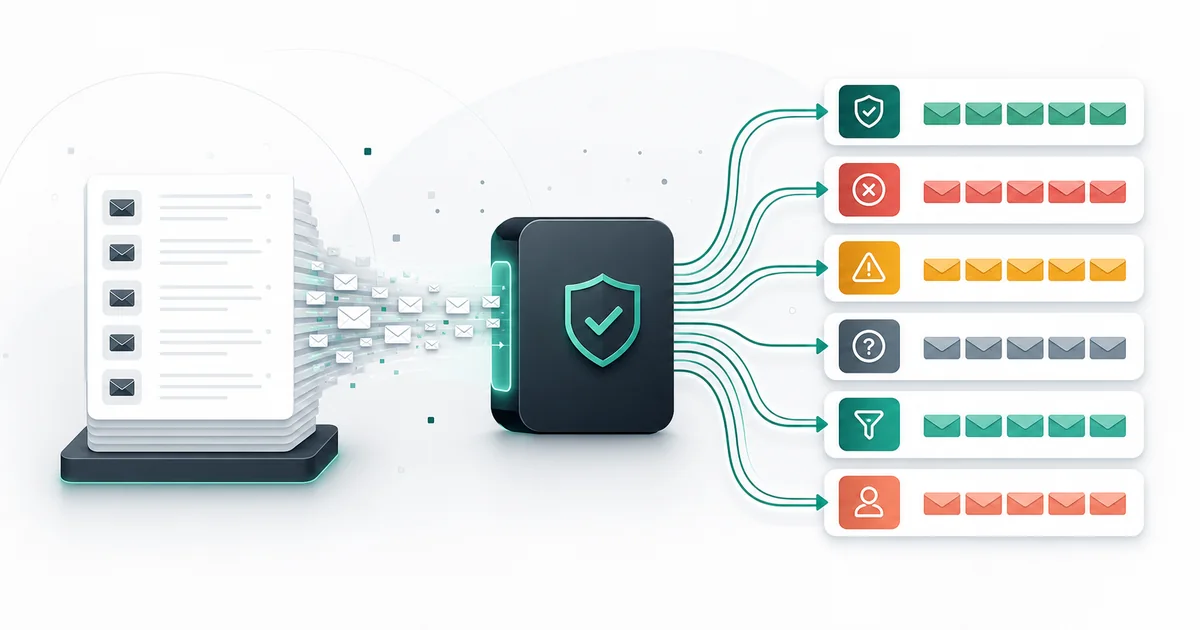
Segment bulk verification results by action, not by a single delete-or-send rule. Keep the original file unchanged, preserve technical evidence, and create separate groups for eligible use, suppression, review, and bounded retry. This prevents good leads from disappearing merely because a receiving server was uncertain at one moment.
Mailthentic presents four main buckets: valid, risky, invalid, and unknown. Stored statuses and flags add detail. Disposable and role classifications are flags, catch-all can produce a risky status, and temporary failures can remain unknown. Your segment names should describe business actions without rewriting those native results.
Build a source snapshot and crosswalk first
Before filtering anything, save a read-only snapshot with a source record ID, original email, consent and suppression state, owner, source, and relevant campaign or CRM fields. Normalize addresses for processing and build a crosswalk from each unique email to its source rows.
Mailthentic processes unique normalized addresses once within an active bulk job. That is efficient verification behavior, not permission to merge people or discard duplicate source records. A shared inbox can belong to several valid business records. A duplicated contact can also carry different consent or ownership data that requires a CRM decision.
Use a two-layer segmentation model
The first layer is immutable technical evidence: status, reason, result time, confidence context, and flags. The second layer is the decision your organization makes for a defined use. Keep them in separate columns.
| Technical group | Default decision segment | Do not do |
|---|---|---|
| Valid | Eligible after consent and suppression checks | Assume future delivery or inbox placement |
| Invalid | Suppress address and request correction where appropriate | Delete the entire person or account record automatically |
| Risky | Review or restricted use | Combine all risk reasons into one unexplained label |
| Unknown | Retry eligible or unresolved hold | Convert temporary uncertainty to invalid |
| Existing opt-out or complaint | Suppressed regardless of verification | Reactivate because the address verifies |
Use the status guide to interpret the underlying evidence before adding campaign policy.
Valid records still need eligibility checks
A valid result means the available evidence supports using the address. It does not prove consent, ownership, interest, or future deliverability. Join the result back to the source, apply opt-out and complaint suppressions, confirm the communication purpose, and then place approved rows in an eligible segment.
Consider dividing eligible records by recent engagement, source, or relationship rather than sending every valid row at once. This helps isolate old or untested cohorts and makes later outcomes more informative.
Invalid records should lose send eligibility, not history
Conclusive syntax, domain, MX, or recipient failures justify excluding the address. Preserve the person, company, account, transaction, or lead record if it has another legitimate purpose. Store the invalid reason and result time, and give the data owner a correction route.
Do not guess corrected domains or mailboxes. Put obvious source-entry errors into a correction segment, verify the proposed new value as a fresh address, and keep the original evidence for audit. Apply a suppression that prevents another system from re-importing the invalid value into a send list.
Split risky records by the actual signal
A risky segment is too broad for one action. Create subsegments that match the evidence:
- Catch-all: review source, permission, business value, and engagement because SMTP acceptance does not confirm the named mailbox.
- Missing authentication evidence: preserve the specific risky status while recognizing that domain authentication and recipient existence are different questions.
- Other conflicting evidence: route high-value records for review rather than inventing certainty.
A low-risk sending cohort might contain recent, permission-based contacts with an established relationship even when catch-all evidence remains. A high-risk cohort might combine no engagement, old source data, and ambiguous recipient evidence. These are local campaign segments, not Mailthentic result fields.
Keep catch-all records available for a cautious decision
Catch-all domains can accept mail for any recipient or conceal directory information behind a gateway. Deleting every catch-all record can remove legitimate business contacts. Accepting all of them can add avoidable failures.
Preserve is_catch_all, the status, reason, provider context, and result time. Review the catch-all handling options. Where policy allows a controlled send, isolate the cohort, start with the strongest source and engagement evidence, and monitor real outcomes.
Apply a product-specific disposable policy
A disposable provider issues temporary mailboxes. Mailthentic can expose flags.is_disposable, and that signal can contribute to an invalid result in the full engine. For an account database, the product may request a durable replacement. For a historical marketing file, the contact may remain suppressed.
Do not confuse disposable and free-provider addresses. A consumer provider is not automatically temporary. Preserve the exact flag rather than deriving a disposable label from a personal domain.
Route role addresses by communication purpose
A role address such as support, billing, or sales can be a legitimate shared inbox. It may fit an operational message and conflict with a personal nurture sequence. Mailthentic flags the role local part without automatically proving invalidity.
Create an operational-eligible segment for relevant shared-inbox communication and a marketing-review segment for individualized campaigns. Keep permission and source evidence central. Apply the role-address policy that your organization has already approved.
Separate retryable unknown from unresolved unknown
Unknown results can follow temporary DNS or SMTP conditions, connection failures, greylisting, provider protections, or insufficient recipient evidence. Use the detailed reason and flags to determine whether a later check has a reasonable chance of adding information.
- Create a retry-eligible segment only for approved temporary conditions.
- Record attempt count, last check time, and next eligible time.
- Wait according to a bounded policy rather than retrying immediately.
- Recheck only that segment, not the full source file.
- Move decisive results to the matching action segment.
- Move exhausted or persistently ambiguous results to review or unresolved hold.
Repeated checks do not force protected providers or catch-all domains to reveal a mailbox. Stop when another attempt is unlikely to change the evidence.
Create a manual review segment with exit rules
Reserve manual review for records where source context, relationship evidence, or a correction can change the decision. Include priority, owner, decision code, note, and review time. A high-value customer address and an unengaged imported lead should not receive identical treatment solely because both are unknown.
Review must end in an approved use, restricted use, correction, bounded retry, suppression, or escalation. The review queue guide describes ownership and audit controls.
Preserve useful audit fields
| Field group | Examples | Purpose |
|---|---|---|
| Source | Source ID, original address, system, owner | Join and rollback |
| Permission | Consent source, suppression, complaint state | Prevent technical results from overriding policy |
| Verification | Status, reason, flags, confidence context, created time | Preserve native evidence |
| Decision | Segment, allowed purpose, reviewer, decision time | Explain business action |
| Retry | Attempt count, last attempt, next eligible time | Bound repeat checks |
| Outcome | Correction, bounce class, engagement | Improve later policy |
Export separate views without destroying the master
Keep one complete decision file, then create filtered destination views. A campaign-ready export should contain only fields needed by the sending workflow. A correction queue needs owner and source context. A retry file needs the unique address and retry controls. A suppression update needs a durable match key and reason.
Mailthentic supports CSV and XLSX result exports with visible bucket filters. Keep the full output until review and apply your approved retention controls afterward. The bulk verification workflow explains preparation and export mechanics, while the list cleaning guide covers the broader database process. Use the single email checker only for a focused DNS-level inspection, not as a replacement for the source-file decision record.
Measure each segment after the decision
Compare later correction, bounce, engagement, complaint, and review outcomes by source and segment. Do not interpret a small sample as an accuracy guarantee. Look for repeatable patterns that justify changing the entry rule, retry policy, or source controls.
Most importantly, keep the operation reversible. A segmentation mistake should be correctable from the source snapshot and evidence, without reconstructing deleted records from memory.
Segment the evidence, not just the rows
Run a permission-based CSV or XLSX through the Mailthentic bulk verifier, export the full result set, and add decisions in separate fields.
Ready to verify your email list?
Start free with 250 verification credits. No credit card required.